 giovanniromero.dev
LangChain and LangGraph: What They Are and How They Work
Introduction
In the rapidly evolving landscape of artificial intelligence, understanding how to orchestrate Large Language Models (LLMs) effectively is becoming a critical skill for developers and data scientists. LangChain and LangGraph are two complementary frameworks that address this need from different angles.
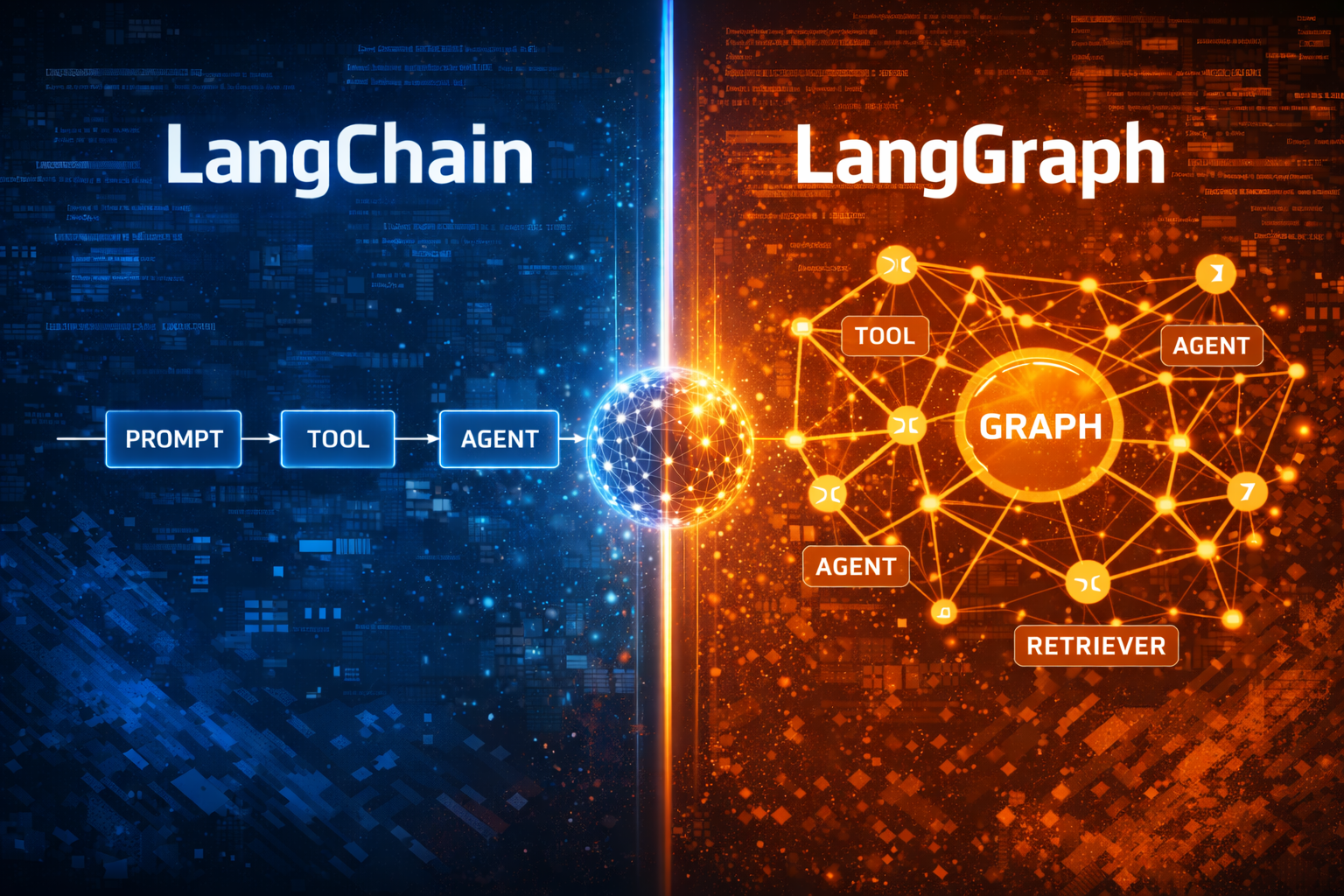
LangChain focuses on composing LLM-powered components such as prompts, tools, retrievers, and agents, while LangGraph introduces a graph-based, stateful execution model that enables complex control flows, loops, and multi-agent systems. This guide explains what LangChain and LangGraph are, how they differ, when to use each, and how they can be combined to build robust AI applications.
What Is LangChain?
LangChain is an open-source framework designed to simplify the development of applications powered by language models. It provides abstractions that allow developers to connect LLMs with external data sources, APIs, and tools in a structured and reusable way.
Key Features of LangChain
-
Modular Architecture Build applications using chains, prompt templates, tools, retrievers, memory, and agents.
-
LLM and Tool Integration Works with multiple LLM providers (OpenAI, Anthropic, Hugging Face) and external services such as databases and APIs.
-
Agent-Based Reasoning Enables agents that decide which tool to use next based on intermediate reasoning.
-
Context and Memory Handling Supports conversational memory and long-context workflows.
LangChain is best suited for linear or semi-dynamic workflows, such as chatbots, Retrieval-Augmented Generation (RAG), and tool-augmented assistants.
What Is LangGraph?
LangGraph is a framework built on top of LangChain that enables graph-based execution of LLM workflows. Instead of executing steps sequentially, LangGraph models workflows as graphs composed of nodes, edges, and shared state.
LangGraph is designed for scenarios where applications require explicit control over execution flow, including loops, conditional branching, retries, and multi-agent coordination.
Key Features of LangGraph
-
Stateful Execution Maintains and updates shared state across nodes during execution.
-
Graph-Based Control Flow Supports branching logic, cycles, and parallel execution paths.
-
Multi-Agent Coordination Ideal for systems where multiple agents collaborate, critique, or delegate tasks.
-
Deterministic and Debuggable Workflows Explicit execution paths improve reliability and observability.
Note: LangGraph is not a visualization tool. It is an execution and orchestration framework.
LangChain vs LangGraph: Key Differences
| Aspect | LangChain | LangGraph |
|---|---|---|
| Execution model | Chain-based | Graph-based |
| State management | Limited / implicit | Explicit and shared |
| Control flow | Mostly linear | Branching, loops, retries |
| Multi-agent support | Basic | Advanced |
| Best use cases | Simple to moderate workflows | Complex, stateful systems |
When to Use LangChain
Use LangChain when:
- Your workflow is mostly linear
- You want fast prototyping
- You are building chatbots, RAG pipelines, or tool-based agents
- Control flow complexity is low
When to Use LangGraph
Use LangGraph when:
- Your application requires loops or conditional execution
- You need persistent state across steps
- You are building multi-agent systems
- Deterministic execution and debuggability are important
How LangChain and LangGraph Work Together
LangGraph does not replace LangChain. Instead, it extends LangChain’s capabilities.
-
LangChain provides the building blocks:
- Prompts
- Tools
- Agents
- Retrievers
-
LangGraph provides:
- Execution control
- State transitions
- Workflow orchestration
Conceptually:
User Input → Agent Node → Tool Node → Decision Node → Final Response
LangChain defines what happens inside each node, while LangGraph defines how and when nodes execute.
Practical Use Cases for LangChain and LangGraph
1. Multi-Agent AI Systems
- Planner agent creates tasks
- Executor agent performs actions
- Critic agent evaluates results
LangGraph manages coordination and state, while LangChain powers individual agents.
2. Advanced RAG Pipelines
- Query rewriting
- Retrieval
- Validation
- Answer synthesis
LangGraph handles branching and retries when retrieval quality is insufficient.
3. Autonomous Workflows
- Task planning
- Conditional retries
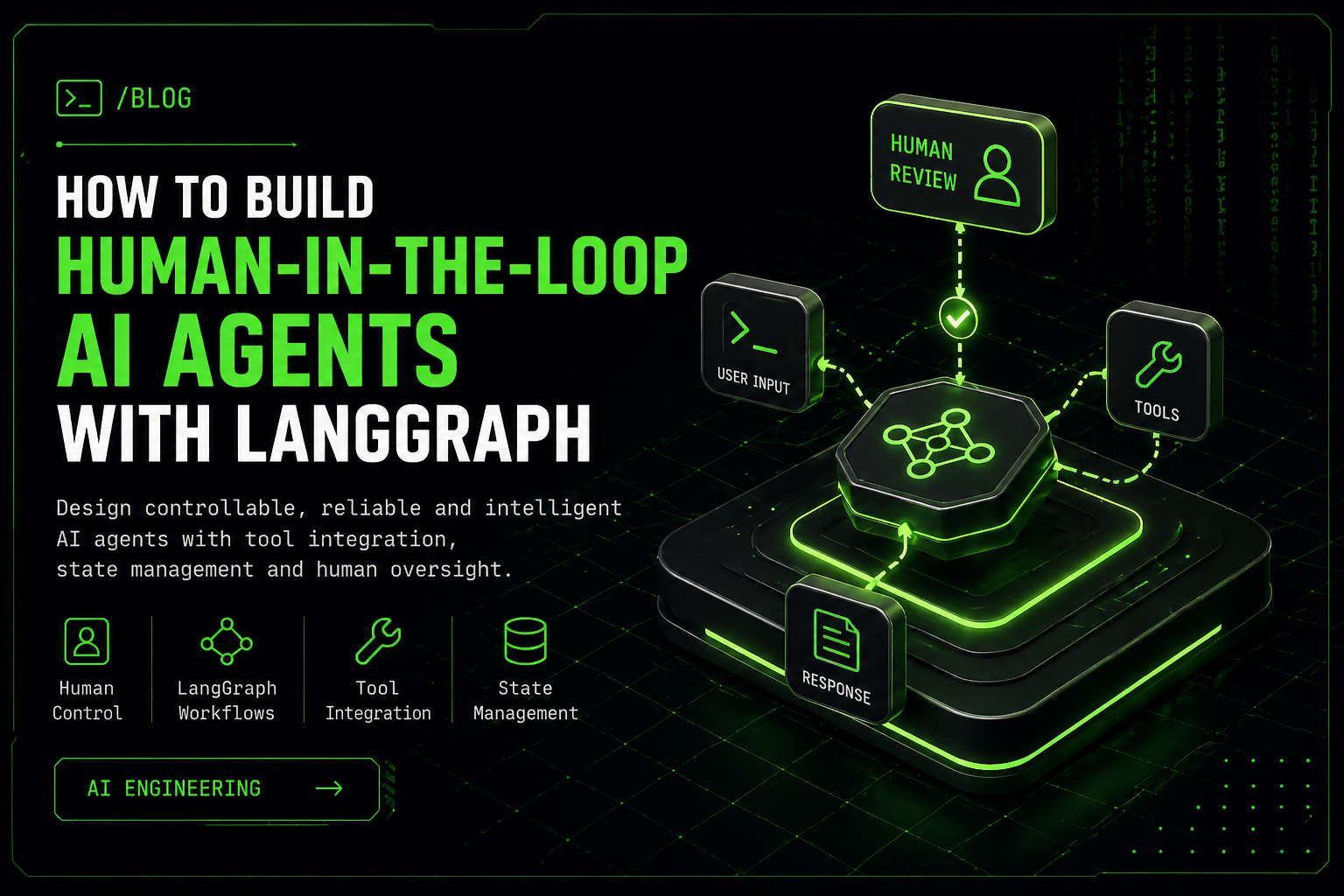
- Human-in-the-loop checkpoints
Common Pitfalls to Avoid
- Treating LangGraph as a visualization library
- Overengineering simple workflows
- Ignoring state design in complex systems
- Using LangGraph when LangChain alone is sufficient
Optimization Strategies
- Design minimal graphs: Add complexity only when necessary
- Leverage LangChain abstractions inside LangGraph nodes
- Monitor execution paths to identify bottlenecks
- Test workflows incrementally to ensure correctness
FAQs About LangChain and LangGraph
Is LangGraph a replacement for LangChain?
No. LangGraph extends LangChain by adding graph-based execution and state management.
Can LangChain and LangGraph be used together?
Yes. LangChain components are typically used inside LangGraph nodes.
When should I use LangGraph instead of LangChain?
When your workflow requires loops, branching logic, or multi-agent coordination.
Is LangGraph better for multi-agent systems?
Yes. LangGraph is specifically designed to manage complex multi-agent workflows.
Conclusion
LangChain and LangGraph address different but complementary needs in LLM application development. LangChain excels at composing LLM-powered components quickly, while LangGraph enables precise control over complex, stateful workflows.
By understanding when and how to use LangChain and LangGraph together, developers can build scalable, maintainable, and reliable AI systems that go far beyond simple prompt chaining.
Key Takeaways
- LangChain simplifies LLM application development through modular abstractions
- LangGraph enables graph-based, stateful execution
- They are complementary, not competing frameworks
- Choose the simplest tool that meets your workflow requirements
Leave a Reply
Your email address will not be published. Required fields are marked *
Comments